A more powerful mini PC will not turn DALL-E into an offline application. The important buying decision is where image generation happens, not whether the computer on your desk has an AI label.
That distinction also prevents a second mistake: following a working-looking tutorial for an API model that has already been removed. Before choosing a machine, identify the actual service or downloadable model you intend to use.
Can DALL-E run locally on a mini PC?
DALL-E is not a supported local mini-PC model.
A mini PC can access a hosted image service, but genuine offline generation requires a separately distributed model, compatible software, and enough usable memory for the complete workflow.
OpenAI’s DALL-E 3 model page identifies it as a deprecated model removed from the API. It does not provide a supported package of DALL-E weights for your computer. Installing an interface, a Python library, or a browser shortcut does not change where the model executes.
This is a product-identity question before it is a hardware question. If you want an OpenAI-hosted image workflow, follow the current service documentation. If you want local inference, select a different model deliberately. Our local AI overview explains how those local workloads fit into a broader mini-PC plan.
Why do local DALL-E downloads appear in search results?
Similar project names do not establish that a download contains OpenAI’s DALL-E service. Some older tutorials describe independent models or applications that combine several components, rather than a local edition of the proprietary service.
For example, the project-owned DALL-E Flow repository describes a workflow combining other models and processing stages in a client-server architecture. Its name is not evidence that installing it deploys DALL-E 2 or DALL-E 3. Nor does an old tutorial demonstrate compatibility with your current operating system.
Read the model publisher, model-file name, license, and execution architecture before trusting the title. Treat an installer promising a subscription bypass as a warning sign. A familiar logo or an image with a similar style is not a useful identity test, and there is no need to disable security tools to investigate a legitimate alternative.
What changed for old DALL-E API projects?
The old DALL-E API model identifiers are no longer a current starting point. OpenAI’s deprecation record lists May 12, 2026, as the removal date for dall-e-2 and dall-e-3.
For an existing script, first identify the model identifier and the endpoint it requests. Then consult the current image-generation guide for supported GPT Image options, inputs, output handling, and account requirements. Do not assume replacing the model name leaves every old parameter valid.
Use a small nonconfidential test before restoring a batch workflow. Check that the output opens correctly, that failed requests are handled, and that the application does not repeatedly submit the same job after an error. API model retirement does not, by itself, describe every image feature in ChatGPT or another product; assess the product you actually use.
Which parts of the workflow run on your computer?
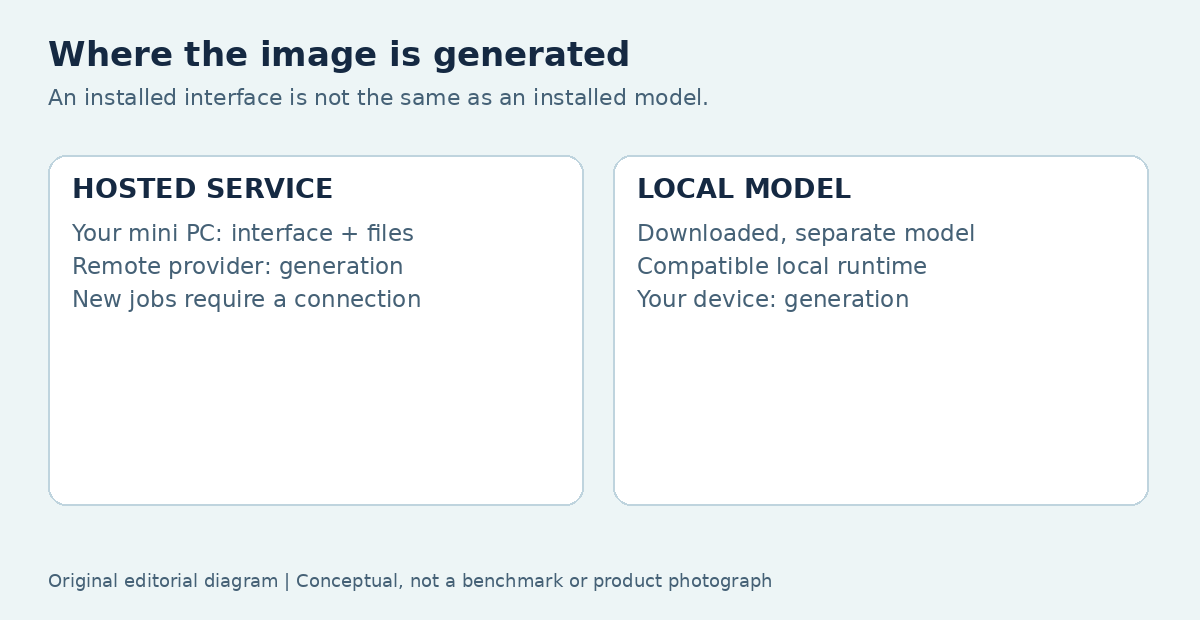
The client handles interaction and files; the generation engine may be elsewhere. A browser-based interface can connect to a remote provider or to a service running on the same computer, so the presence of a browser is not enough to decide.
Use the following comparison to trace the work. The key evidence is the location of the model and computation, rather than whether an application has been installed.
| Arrangement | Generation location | Local hardware demand | Network dependency |
|---|---|---|---|
| Hosted website | Provider infrastructure | Browser, previews, downloads, editing | Required for new hosted jobs |
| Local API client | Remote API service | Request handling and local preprocessing | Required for API requests |
| Downloaded model | Selected local CPU or accelerator | Model, working memory, runtime and output processing | Depends on all workflow components |
A mixed workflow is possible: one stage generates locally while another sends an image to an online enhancement service. Check the whole chain, especially when an offline requirement is the reason for buying hardware.
Does cloud generation justify a more expensive mini PC?
Not by itself: buy performance for the work the computer actually performs. A discrete GPU in your mini PC does not accelerate a remote provider’s generation hardware. It may still benefit a local editor, renderer, or separate image model.
Try your existing computer with the browser, reference folders, and editor open together. Notice whether the slowdown occurs while changing tabs, opening a large file, exporting, uploading, or waiting for the service. Those symptoms point to different constraints.
For a browser-centered workload, reliable networking, suitable display outputs, enough memory for your normal applications, and a sensible backup arrangement may matter more than extra acceleration. Avoid an invented universal DALL-E RAM minimum: the surrounding applications and files determine the client workload. If the computer stays responsive while a hosted job waits, replacing it may leave that wait unchanged.
What does a genuine local alternative require?
A local alternative needs its own model, license, runtime, and capacity assessment. Stability AI’s Stable Diffusion 3.5 Medium model card is an example of a separately distributed model with its own access conditions and usage information; it is not an offline edition of DALL-E.
Select the exact model and workflow before choosing hardware. Image dimensions, batch size, additional conditioning components, and upscaling can change the memory requirement. A language-model parameter estimate is not a reliable substitute for that image pipeline.
Check ComfyUI system requirements if that is your intended application, including the installation route for your operating system and accelerator. Then use the local AI hardware buying guide to compare capacity, software support, and upgrade limits. A component being powerful on paper does not establish support in your selected runtime.
How can you check whether a workflow really works offline?
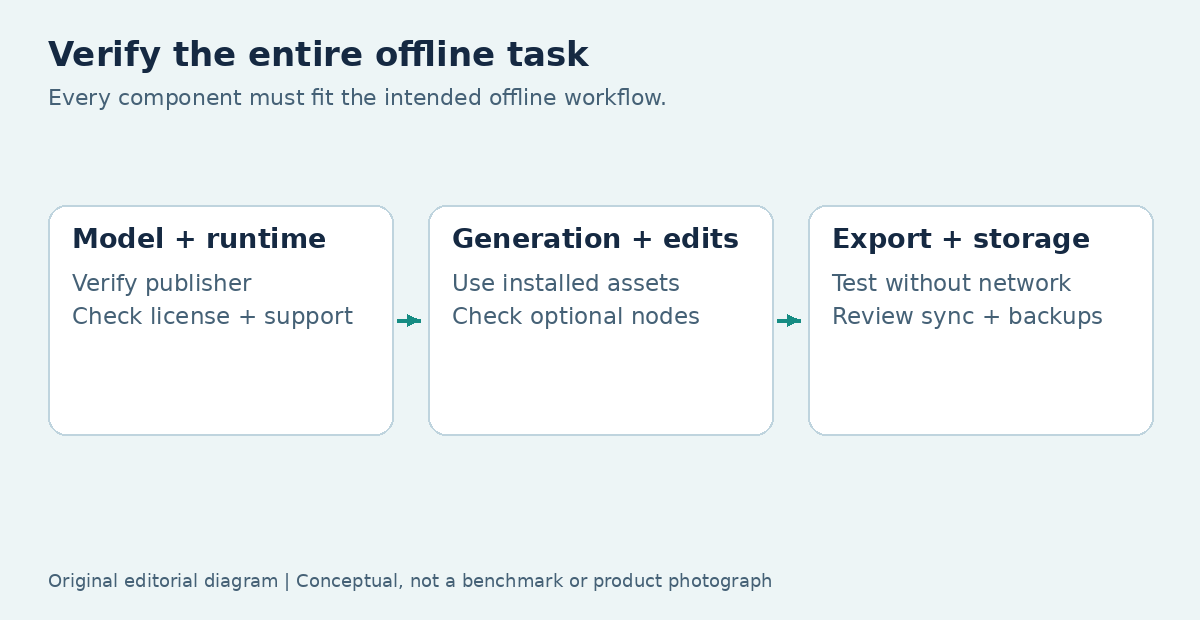
Test the complete task without network access after the required software and models are available. A successful installation or a previously generated image in the gallery does not prove that new generation works offline.
Start with material you own and a short, repeatable workflow. Run generation, the editing stages you need, and the final export. If an optional node stops working, inspect its documentation: it may use a remote API, download an additional model, or require an account connection.
Also examine output-folder synchronization, application logs, shared user accounts, and backup destinations. Local computation reduces certain transfers; it does not guarantee that every file stays private. Keep the offline result narrowly stated: this specific installed workflow completed this specific task without a connection. That is stronger evidence than a general promise printed beside an installer.
Which costs belong in a fair cloud-versus-local comparison?
Count completed, usable work rather than raw image generations. A hosted route may include subscription or usage charges; a local route may require hardware, electricity, model storage, maintenance, and your setup time.
The comparison changes if you already own a compatible computer. For occasional work, buying an entire machine only to avoid usage charges can be difficult to justify. For repeated specialist workflows, local control may be valuable even when it is not the lowest-cost route.
Keep quality and rights in the calculation. A result that needs extensive correction is not equivalent to one you can deliver immediately, and a downloadable model may have conditions that matter to your intended use. Compare actual products, not a paid cloud service against an imaginary free local DALL-E installation. No general break-even month can be established without your workload and real prices.
What should you save from the first successful project?
Save enough information to repeat the workflow without confusing the service, model, and application. Useful records include the prompt, chosen model or service, relevant settings, reference-file permissions, original output, and edited deliverable.
For local generation, also record the runtime version, accelerator backend, model-file variant, and any additional workflow components. For a cloud integration, retain a nonsecret configuration record and error-handling notes; never place credentials in shared project folders.
This record helps you decide whether a future problem is an application change, a missing model, a retired API, or a hardware limitation. It also makes hardware comparisons more honest: two computers running different models or settings have not completed the same test. Keep your observations separate from the provider’s published requirements.
Choose the execution model before the machine
Keep a suitable existing mini PC for hosted work, and upgrade only when you find a local limitation that matters to your projects. If your requirement is truly offline generation, choose a legitimate downloadable model and verify its complete workflow before deciding what hardware to buy.
The same wording trap appears in other image services, but their account and workflow details differ. Continue with Midjourney on a mini PC if that is the service you mean. A clear product name and execution location are more useful starting points than an impressive processor badge.
FAQ
Does DALL-E Mini mean DALL-E designed for mini PCs?
No. The word mini in a project name does not identify a compact-computer edition of OpenAI's service. Follow the actual project documentation to establish its publisher and model identity. Older community projects can appear beside OpenAI tutorials in search results, which makes names particularly easy to confuse. Judge a downloadable model by its own license, supported software, and requirements, rather than transferring claims from a similarly named service.
Can I reuse the same prompts when switching to a local model?
You can use your own prompt as a starting brief, but do not expect the same output or behavior. Model training, supported controls, reference handling, and application settings differ. Evaluate a small set of representative tasks and record what needs changing before moving a whole project. If a prompt includes client information or third-party material, also check that its use is appropriate for the new workflow and destination.
Will a mini PC with an NPU solve image-generation compatibility?
An NPU is useful only when the selected application and model actually support it. The presence of an AI processor label does not prove that a particular local image pipeline can use that component, and it does not move a hosted service onto the computer. Ask for the exact runtime, operating system, supported backend, and model configuration. Prefer a verified compatible setup over a larger advertised TOPS figure with no applicable software path.